
Teleport
The Teleport tab saves locations and configures character movement for specific conditions.
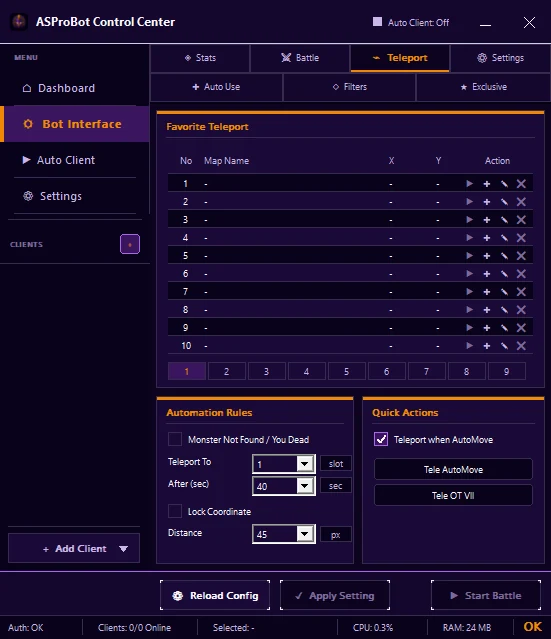
Favorite Teleport
Save locations you want to reuse. Entries may show the map, X/Y coordinates, and available actions.
For first use, save one location and test it before adding more.
Automation Rules
Use this section to decide when a saved location may be used automatically. Settings may include:
- Monster Not Found / You Dead
- Teleport To
- After (sec)
- Lock Coordinate
- Distance
Enable only the rules you actually need.
Quick Actions
This section provides quick teleport actions related to AutoMove or specific destinations.
Basic usage
- Select a client.
- Open Bot Interface → Teleport.
- Save a location under Favorite Teleport.
- Verify the map and coordinates.
- When needed, enable one Automation Rule and select the correct destination.
- Click Apply Setting.
- Test the result.
If teleport goes to the wrong place
Check:
- the selected location,
- the Teleport To slot,
- the enabled rule,
- the delay value,
- the saved coordinates,
- whether the changes were applied.
If you use ASProBot Launcher
The classic Launcher Teleport interface looks different from Control Center.