
Exclusive
The Exclusive tab contains additional features for more specific needs. Availability may depend on the active subscription.
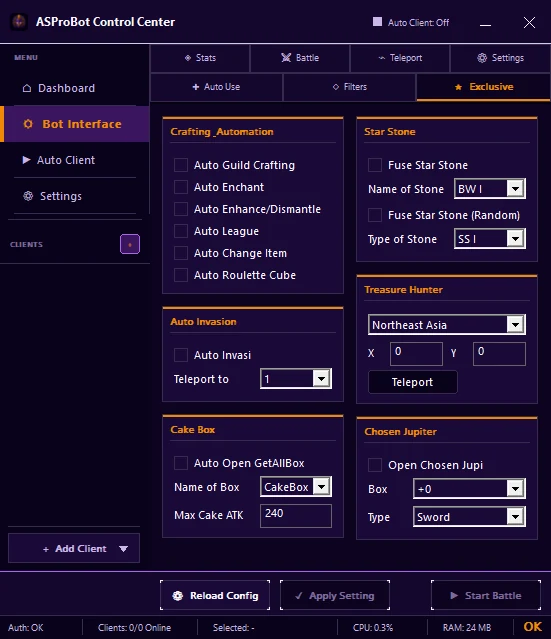
Feature groups
Depending on the version, this section may provide features such as:
- Auto Guild Crafting
- Auto Enchant
- Auto Enhance / Dismantle
- Auto League
- Auto Invasion
- Auto Change Item
- Auto Roulette Cube
- Open GetAllBox
- Fuse Star Stone
- Treasure Hunter
- Open Chosen Jupi
WARNING
Some features may process items. Verify the selected item, type, location, and condition before enabling them.
Auto Invasion
When using Auto Invasion, choose the correct Teleport To destination and make sure that location is already prepared in the Teleport tab.
➡️ Teleport
Apply changes
- Select one feature to use.
- Check every related item, location, box, stone, or type selection.
- Enable that feature.
- Click Apply Setting.
- Verify the result before enabling another feature.
If a feature cannot be used
Check:
- the active subscription,
- the correct client is selected,
- required items or conditions are available,
- the configuration was applied,
- Activity & Issues if Control Center reports a problem.
If you use ASProBot Launcher
The classic Launcher Exclusive interface looks different from Control Center.