
Auto Use
The Auto Use tab automatically uses selected items based on the slot and interval you configure.
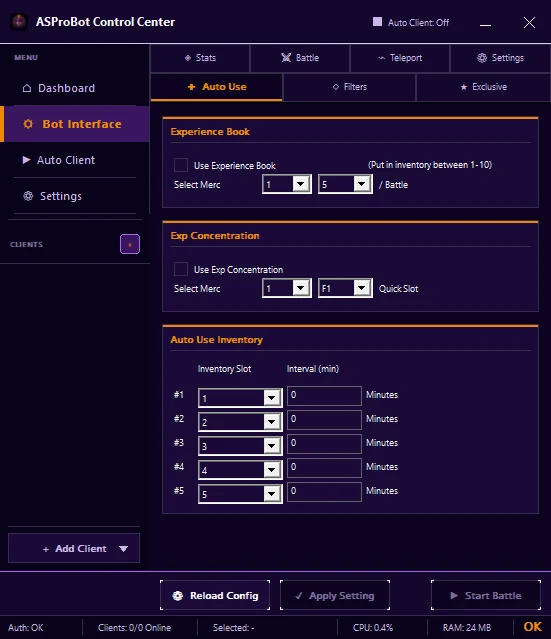
Experience Book
Enable Use Experience Book, then select the mercenary and slot that match your configuration.
Exp Concentration
Enable Use Exp Concentration, then choose the mercenary and QuickSlot used by the item.
Auto Use Inventory
For each row, configure:
- Inventory Slot
- Interval (min)
Make sure the item is actually in the selected slot.
Basic usage
- Select a client.
- Put the item in the correct slot.
- Open Bot Interface → Auto Use.
- Enable one section first.
- Configure the required slot, mercenary, QuickSlot, or interval.
- Click Apply Setting.
- Watch one usage cycle to verify the result.
IMPORTANT
Do not use an extremely short interval only for testing, because the item may be consumed more often than intended.
If the item is not used
Check:
- the item is still available,
- the slot or QuickSlot is correct,
- the Auto Use section is enabled,
- the interval is not still waiting,
- the changes were applied.
If you use ASProBot Launcher
The classic Launcher Auto Use interface looks different from Control Center.